Subscription creep explained: how to find, cancel and manage your subscriptions
4 Feb 2026 |
Cheryl Hayford
|
What is your Netflix subscription really costing you? Are paid TV and streaming services like Binge, Disney+, Stan, Kayo or Spotify Premium causing you subscription creep? We’re here to help you audit, cancel, and automate your way to stress-free subscription management.
Subscription overload? How to stop overpaying & manage monthly subscriptions effectively - YouTube
Subscription overload? How to stop overpaying & manage monthly subscriptions effectively MyBudget

Why your subscriptions feel like they’re getting out of control
If it feels like money keeps disappearing on apps, streaming platforms and free trials, you’re not imagining it. Small recurring charges are easy to ignore on their own, but together they can quietly add up month after month, creating a noticeable dent in your bank balance and putting pressure on your budget.
This article will help you take back control by showing you how to find hidden subscriptions, decide what’s worth keeping, cancel what isn’t, and put simple systems in place so surprise charges stop catching you out. The goal is clarity, control and extra money in your budget.
What is subscription creep and why is it costing you money?
Subscription creep is when unused or forgotten subscriptions quietly build up across streaming services, apps and digital memberships. These small monthly fees are easy to miss, but together they can drain your budget faster than expected.
From streaming platforms and music subscriptions to fitness apps, cloud storage and free trials that roll into paid plans, costs add up quickly. Deloitte reports Aussies spend an average of $936 per year on digital subscriptions, often without realising how much is leaving their account each month.
The good news is that managing subscriptions is simple. A quick audit and a few smart habits can stop subscription creep in its tracks and redirect that money to your emergency savings, holiday fund or cost-of-living buffer.

Discover simple ways to save!
Start with a FREE no obligation appointment
How do I find all my subscriptions like Netflix, Disney+, Canva & YouTube Premium?
You can find all your active subscriptions by reviewing where recurring payments leave your accounts. Checking just one place is not enough, as subscriptions can be linked to different cards, apps and websites.
To get a complete picture, check the following:
- Bank statements and credit card statements for recurring charges and direct debits
- Apple App Store and Google Play subscriptions linked to your app store accounts
- PayPal and other digital wallets
- Emails for renewal notices, receipts or free trial confirmations
- Buy Now Pay Later accounts and subscription delivery services like Amazon’s Subscribe & Save
Streaming services, gyms, fitness apps, cloud storage like iCloud, Google Drive, Dropbox or OneDrive, music streaming services, digital media subscriptions and forgotten free trials often hide here. Make sure you look back slightly beyond a full 12 months of activity to capture annual charges that may only appear once a year.
What is the best way to audit your subscriptions and track what you're paying for?
The best way to audit your subscriptions is to list every recurring payment, how much it costs, how often it renews and whether you still use it. This turns digital overwhelm into something you can actually control.
Follow this simple subscription audit process:
- Write down every subscription, app or service you find
- Record the monthly or annual cost and renewal date
- Ask yourself:
- Am I using this subscription regularly?
- Does it add value or is it habit or choice paralysis?
- Could I use a family plan or share the cost?
- Is there a cheaper plan, basic plan or free alternative?
- Would I notice if it was gone?
- Cancel or pause anything you are not using
- Keep only the subscriptions that genuinely support your lifestyle
In our home, we follow a one-streaming-service-at-a-time rule. We rotate platforms like Netflix, Disney+, Paramount+ or Binge depending on what we are actually watching. It keeps entertainment intentional and stops unnecessary monthly fees.
Pro tip: Friends can each subscribe to a different streaming service and rotate movie nights or series binges. It keeps costs down without missing out on content.
Cancel or downgrade unwanted subscriptions to save money
Cancel unwanted subscriptions directly through your account settings. Deleting an app does not cancel the subscription, and many services rely on users not realising this.
Check cancellations in:
- Apple: Settings, your name, Subscriptions
- Android: Google Play Store, Profile, Payments and Subscriptions
- The service provider’s website under Account, Billing or Customer Service
Some subscription models make cancelling intentionally difficult. Push past guilt-driven pop-ups and discount offers designed to keep you subscribed. Downgrading can also help. Ad-supported plans, basic plans or free versions of services like Spotify, YouTube or ABC iview can significantly reduce costs.

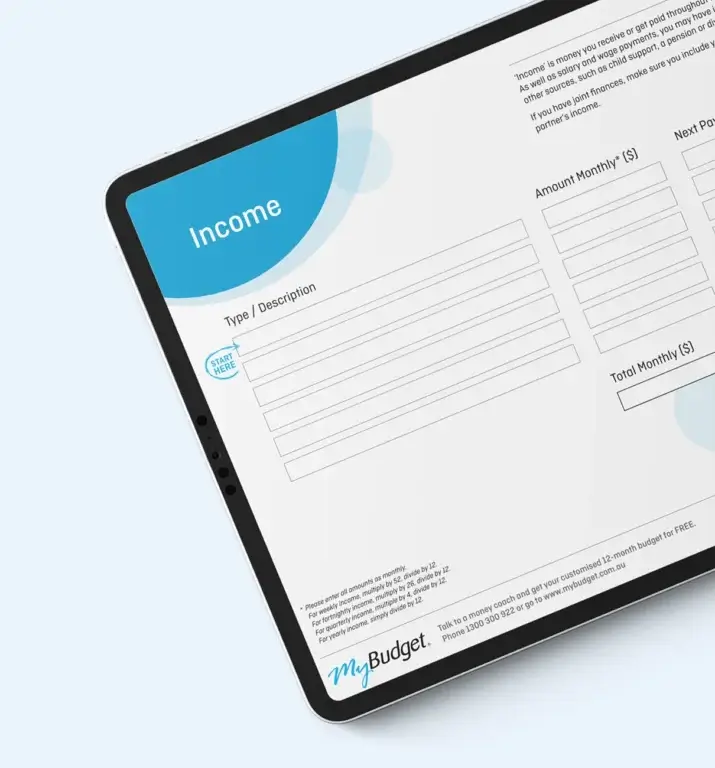
Free Personal Budget Template
Get your free Budget Planner. Manage your income, debts and savings in one simple spreadsheet.
How a budget will help you manage subscriptions and avoid surprise charges
A personal budget helps you manage subscriptions by showing exactly where your money is going and which recurring charges are quietly reducing your cash flow. When subscriptions are tracked as part of your household budget, you can make informed decisions rather than reacting to surprise debits.
Try using the free Personal Budget Template. It helps you:
- Track subscriptions and automatic debits
- Separate essential spending from entertainment and lifestyle costs
- Plan for renewal dates and annual fees
- Build emergency savings and long-term goals
If you are paying for a meal-planning app, consider swapping it for our free Healthy Meals on a Budget Guide. It offers practical recipes and shopping tools without ongoing fees.
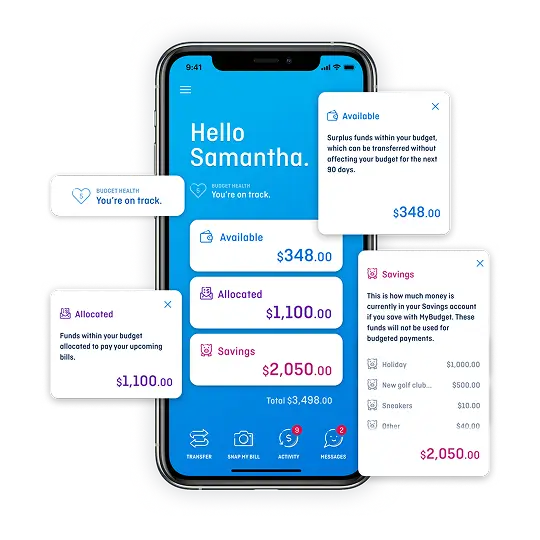
If managing subscriptions still feels overwhelming, MyBudget can step in. We automate bills, manage direct debits and help prevent forgotten subscriptions from slipping through the cracks.
We didn’t realise how many little expenses were creeping into our budget. Subscriptions we didn’t use anymore really added up. MyBudget helped us find those and cut back, which made a huge difference in our savings. Erin, MyBudget Client
Automate subscription payments and avoid surprise renewal fees
Calendar reminders are one of the simplest ways to avoid unwanted renewals. Setting alerts a few days before a subscription renews gives you time to decide whether to keep or cancel it.
To set this up:
- Add renewal dates to your phone calendar
- Use clear labels such as “Canva Pro renews, keep or cancel?”
- Review the reminder and take action
- Remove services you no longer want
This habit prevents accidental charges and keeps subscription management intentional.
Review your subscriptions regularly to avoid subscription creep
Review your subscriptions every three to six months. Needs change, routines shift and entertainment habits evolve. Regular reviews stop unused services from becoming permanent budget leaks.
Think of it as a seasonal reset for your digital life.
Why does managing subscriptions matter for your budget and long-term savings?
Managing subscriptions is important because unnecessary recurring charges reduce the money available for your savings, emergency fund and long-term goals. By cutting back on services you do not use, you free up money for the things that matter.
Every dollar you stop wasting is a dollar you can put towards:
- Your emergency savings
- A holiday fund
- Paying off debt
- Buying a new car
- School holidays
- Your cost-of-living buffer.
Small changes create big results over time.
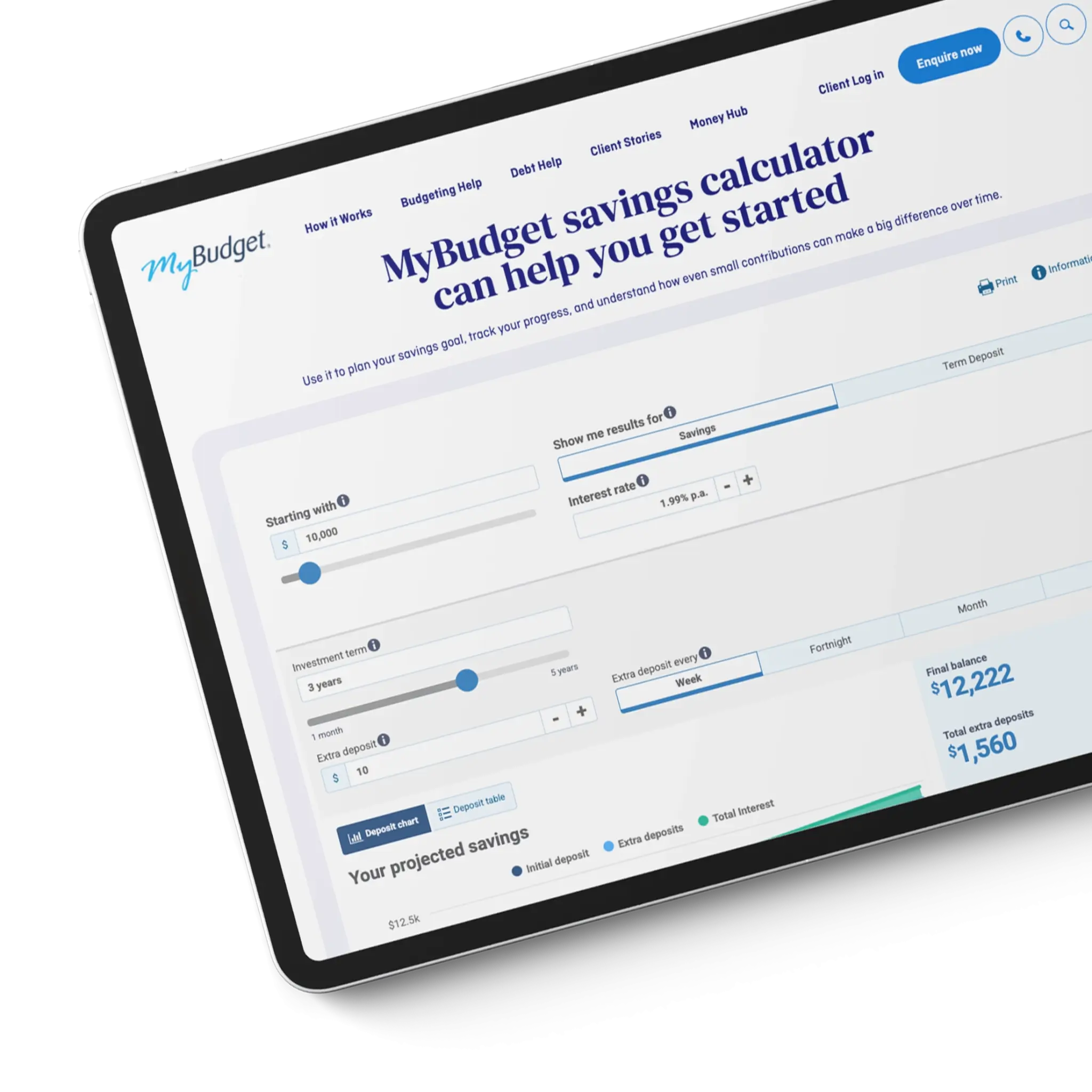
Savings Calculator
MyBudget’s free Savings Calculator helps you see how your money can grow with regular deposits and interest.
How can MyBudget help me stop subscription creep and take control of my money?
MyBudget can help you stop subscription creep by building a personalised budget, automating your bill payments, and tracking your expenses in one place. We help you stay ahead of recurring charges so your money supports your goals, not forgotten subscriptions.
Here is what MyBudget can do for you:
- Find all of your paid subscriptions
- Help you decide which ones to keep or cancel
- Create a personalised budget that reflects your goals
- Pay your bills on time
- Prevent unexpected subscription renewals
- Help you save for what matters most.
With over 25 years of experience and more than 130,000 Australians helped, we know how to take the stress out of money management.
Enquire online or call 1300 300 922 today.

Join the 130,000+ Australians living free from money worries
Start with a free, no-obligation appointment.
Important information
This page provides general information only. It does not take your personal circumstances into account and is not personal financial advice. For the scope and licensing of a particular service, check the service provider's current disclosures or contact MyBudget.
What is subscription creep, according to MyBudget's guide?
Subscription creep occurs when unused or forgotten subscriptions silently accumulate across streaming services, apps, and digital memberships. Small monthly fees are easy to overlook individually, but together they can significantly impact a budget.
How much do Australians spend on digital subscriptions on average per year?
According to Deloitte, Australians spend an average of $936 per year on digital subscriptions, often without realizing how much money is leaving their accounts each month.
Which streaming and entertainment services does the MyBudget article mention as examples of subscription creep?
The article mentions Netflix, Binge, Disney+, Stan, Kayo, and Spotify Premium as examples of paid TV, streaming, and music services that can contribute to subscription creep.
Where should someone look to find all of their subscriptions?
To get a complete picture of recurring payments, check bank and credit card statements for recurring charges and direct debits, the Apple App Store and Google Play for linked subscriptions, PayPal and other digital wallets, email for renewal notices/receipts/free trial confirmations, Buy Now Pay Later accounts and subscription delivery services like Amazon's Subscribe & Save, and cloud storage services including iCloud, Google Drive, Dropbox, and OneDrive.
Why is it important to look back further than 12 months when auditing subscriptions?
You should look back beyond 12 months to capture annual charges that may only appear once a year, since these can otherwise be easily missed when reviewing recent statements.
What is a common cause of subscriptions charging people without realizing it?
Free trials that automatically convert to paid subscriptions are a common culprit behind budget creep, alongside services like fitness apps and streaming platforms that keep charging even when not actively used.
What is the first step in MyBudget's subscription audit process?
The first step is to list every subscription, app, or service you have.
Who wrote the MyBudget article on subscription creep, and is there an audio version?
The article was written by Cheryl Hayford for MyBudget, and the page notes that readers can also listen to hosts unpack the blog content if they prefer audio.
Images on This Page
-
https://www.mybudget.com.au/wp-content/uploads/2025/11/customer-support.png
Call Desk Profile Picture
-
https://www.mybudget.com.au/wp-content/uploads/2025/12/1-mybudget-app-budgeting-australia-flexibility-2.webp
The MyBudget app demonstrating flexible budget planning and debt management features for Australians to reach financial goals.
-
https://www.mybudget.com.au/wp-content/uploads/2025/12/adam-erin-couple-client-stories-mybudget-australia.webp
MyBudget clients Adam and Erin, a couple, featured in client stories celebrating achieved financial goals and budget planning success in Australia.
-
https://www.mybudget.com.au/wp-content/uploads/2025/10/tammy-tips.png
Tammy Barton, Founder and Director of MyBudget, giving her financial tips.
-
https://www.mybudget.com.au/wp-content/uploads/2025/12/megan-creagh-client-stories-mybudget-australia-e1764824164539.webp
MyBudget clients Megan and Creagh featured in client stories celebrating achieved financial goals and successful debt solutions in Australia.
-
https://www.mybudget.com.au/wp-content/uploads/2025/11/tammy-podcast-intro.png
Tammy Barton, Founder and Director of MyBudget, introducing a podcast on budgeting help and achieving financial goals for Australians.
-
https://www.mybudget.com.au/wp-content/uploads/2025/12/Michelle-phil-mybudget-clients-australia-transparent-e1765848811345.png
A happy couple, Michelle and Phil, clients of MyBudget Australia, are captured mid-high-five, celebrating their financial success and effective budgeting. The man looks surprised and excited, while the woman is smiling broadly, highlighting the positive results of using MyBudget services to achieve their financial goals in Australia. This image represents the satisfaction and relief of managing personal finances effectively.
-
https://s.w.org/images/core/emoji/17.0.2/svg/1f3a7.svg
🎧
-
https://www.mybudget.com.au/wp-content/uploads/2025/11/adam-erin-bills-mybudget-clients-australia.webp
MyBudget clients Adam and Erin organizing bills, supported by a debt management plan and budget planning in Australia.
-
https://www.mybudget.com.au/wp-content/uploads/2025/12/personal-budget-template-cta-mybudget-australia.webp
CTA for Australians to download a MyBudget personal budget budget template for effective budget planning and financial goals.
-
https://www.mybudget.com.au/wp-content/uploads/2026/01/savings-calculator-money-tools-resources-mybudget-australia.webp
(no alt text)
-
https://www.mybudget.com.au/wp-content/uploads/2025/11/tammy-barton-mybudget-founder-and-director-december-checklist-start-the-new-year-strong-1.webp
Tammy Barton, Founder and Director of MyBudget Australia
-
https://www.mybudget.com.au/wp-content/uploads/2025/12/alyssa-pete-budget-bills-clients-mybudget-australia-768x768.webp
MyBudget clients Alyssa and Pete organizing bills with a dedicated debt management plan and budget planning in Australia.
-
https://www.mybudget.com.au/wp-content/uploads/2025/04/erin-adam-podcast-filming-mybudget-mymoney-mystory-1-768x512.png
(no alt text)
-
https://www.mybudget.com.au/wp-content/uploads/2025/11/budget-template-personal-resource-mybudget-austalia-715x768.webp
Tablet displaying MyBudget’s Personal Budget Template for Australian users, to help organise finances, get out of debt, start saving and reach financial goals.
-
https://www.mybudget.com.au/wp-content/uploads/2025/11/call-to-action-image.jpg
Call-to-action image encouraging Australians to seek MyBudget for expert debt solutions and financial coaching.
-
https://www.mybudget.com.au/wp-content/uploads/2025/09/mybudget-trustpilot-australia.webp
Trust Pilot
-
https://www.mybudget.com.au/wp-content/uploads/2025/09/ProductReview-mybudget-reviews-white.png
Product Review
-
https://www.mybudget.com.au/wp-content/uploads/2025/10/Google-mybudget-reviews-white.png
(no alt text)
-
https://www.mybudget.com.au/wp-content/uploads/2025/10/mybudget-app-store.png
(no alt text)
-
https://www.mybudget.com.au/wp-content/uploads/2025/10/my-budget-google-play.png
(no alt text)